
Best Remote IT Support vs In-House Team: 10 Options for 2026
IT support is a big decision. Remote IT support vs in-house IT team , which one actually saves you money, time, and stress? We’ve compared 10 options, from managed providers to hiring your own staff. Here’s who each one is for and how they stack up.
1. Advatek (Our Top Pick) , Cybersecurity-First Remote IT Support
Advatek is a managed IT service provider that puts compliance and security first. They offer 24/7 monitoring, AI-driven threat detection, and formal HIPAA training , a rare combo. Only 33% of providers even mention compliance, and almost none combine it with AI automation. Advatek does both.
Who it’s best for: Healthcare practices, law offices, and finance firms that deal with sensitive data. If you worry about audits or breaches, this is the model that covers you.
One limitation: Since Advatek is a premium service, it may cost more than a basic help desk. But you get a 24-hour breach notification SLA and compliance training included. That’s peace of mind most remote providers don’t offer.
Key Takeaway: Advatek is the best choice if compliance and security are non‑negotiable for your business.
2. In-House IT Team , Full Control, Higher Cost
An in-house team means you hire IT staff who work from your office. They know your network inside out and can fix hardware issues face-to-face. But the cost adds up fast. A single IT employee costs $70,000, $120,000 in salary, plus 40, 60% more for benefits and overhead. And if they’re on vacation, you’re stuck.
Who it’s best for: Large enterprises with complex on-premise infrastructure and deep pockets. Or companies that need someone physically present to rack servers and run cables.
Caveat: You’re limited to the skills of the people you hire. If you need a cybersecurity specialist, you either pay for training or hire another person. That’s why many businesses eventually look for outsourced IT support for small businesses to fill the gap.
3. Managed IT Support with On-Site Services
Some managed service providers (MSPs) offer remote monitoring plus the ability to send a tech to your office when hardware fails. That’s a blend of speed and personal touch. to remote support tools, multi-client MSPs need strong access controls to keep clients separate. A local MSP can give you that while still being a phone call away.
Who it’s best for: Mid-sized businesses that want a human to show up occasionally but don’t need a full-time IT desk.
Watch out for: SLAs that promise on-site in 4 hours but charge extra for after-hours visits. Make sure the contract spells out response times clearly.
4. Specialized Compliance IT Support
Some providers specialize in one regulated sector. They know the compliance rules (HIPAA, SOX, FINRA) and install systems that pass audits. This is valuable because 67% of remote IT solutions offer no compliance support at all. If you’re in healthcare, you can’t afford that gap. HIPAA compliance for healthcare providers requires more than just a checkbox , it needs ongoing training and monitoring.
Who it’s best for: Medical practices, law firms, and financial advisors who want to outsource the regulatory headache.
Downside: You’re tied to one vertical. If your business expands into a different industry, you might outgrow the provider’s expertise. Consider a broader MSP like Advatek that still covers your niche.
5. Part-Time IT Leadership Service , Strategic IT Leadership Remotely
A virtual CIO (vCIO) gives you a part-time executive who plans your tech roadmap, budgets for upgrades, and aligns IT with business goals. You get strategy without paying a full-time salary. Many vCIOs work within an MSP, so you also get operational support.
Who it’s best for: Growing companies that need high-level guidance but can’t afford a $200k+ CIO.
Keep in mind: A vCIO isn’t hands-on. If your printer breaks, you still need a help desk. Pair this with a managed service plan for the best results.
6. Co-Managed IT Model , Best of Both Worlds
Co-managed IT lets you keep your in-house team while a remote provider handles overflow, after-hours support, or specialized projects. It’s like having a backup crew that kicks in when you’re swamped. Co-managed can also be a stepping stone if you’re not ready to go fully remote.
Who it’s best for: Businesses with one or two IT staff who need extra bandwidth for migrations, security audits, or 24/7 coverage.
Pros: You keep control and save money compared to hiring more staff. Many co-managed clients report projects finish twice as fast. Check out top managed IT services providers for small business for options that offer co-managed plans.
7. Project-Based IT Specialist , Affordable, Flexible Expertise
Hire a project-based IT specialist by the hour or by the project. Great for one-off jobs like setting up a server or migrating to the cloud. No long-term contract, no benefits. Rates vary but are usually lower than an MSP’s monthly fee , until you need them often.
Who it’s best for: Very small businesses that only need occasional help and have someone internal who can handle basics.
Warning: Such specialists often work alone. If they’re sick or busy, you wait. Plus, they rarely provide 24/7 monitoring or proactive security. Use this for projects, not ongoing support.
8. Remote IT Support for Cloud Environments
Some MSPs focus entirely on cloud environments: Office 365, AWS, and other common cloud tools. They help you set up and maintain SaaS tools, enforce security policies, and manage identities. This model is built for companies that are already remote or hybrid.
Who it’s best for: Remote-first teams that don’t have an office. You don’t need on-site visits, so you can hire a provider anywhere.
Limitation: If you have legacy on-premise servers or custom hardware, a cloud-only MSP may not be able to help. Look for one that also handles hybrid setups.
9. Security-Focused IT Support , Advanced Threat Protection
These are providers that specialize in security: endpoint detection, response (EDR), vulnerability scanning, and incident response. They often include compliance monitoring and employee security training. With cyberattacks on the rise, this type of support is critical for any business handling sensitive data.
Who it’s best for: Organizations that are a target for hackers , law firms, healthcare, finance, or any business with valuable intellectual property.
Trade-off: You might pay a premium for the security stack. But compare that against the cost of a breach: downtime alone averages $5,600 per minute.
10. Comprehensive IT and Compliance Services , Simplified for Regulated Industries
Some providers bundle IT support with compliance management. They handle risk assessments, policy creation, audit prep, and staff training alongside help desk and security. This cuts the number of vendors you manage. Advatek is a strong example, offering HIPAA training, AI threat detection, and managed IT in one package.
Who it’s best for: Regulated businesses that want a single point of contact for both IT and compliance. It simplifies vendor management and ensures nothing falls through the cracks.
Heads-up: This model usually ties you to a long-term contract. Make sure the provider’s compliance expertise matches your specific regulations (HIPAA, PCI, GDPR, etc.).
How to Choose the Right IT Support Model for Your Business
Start by answering three questions:
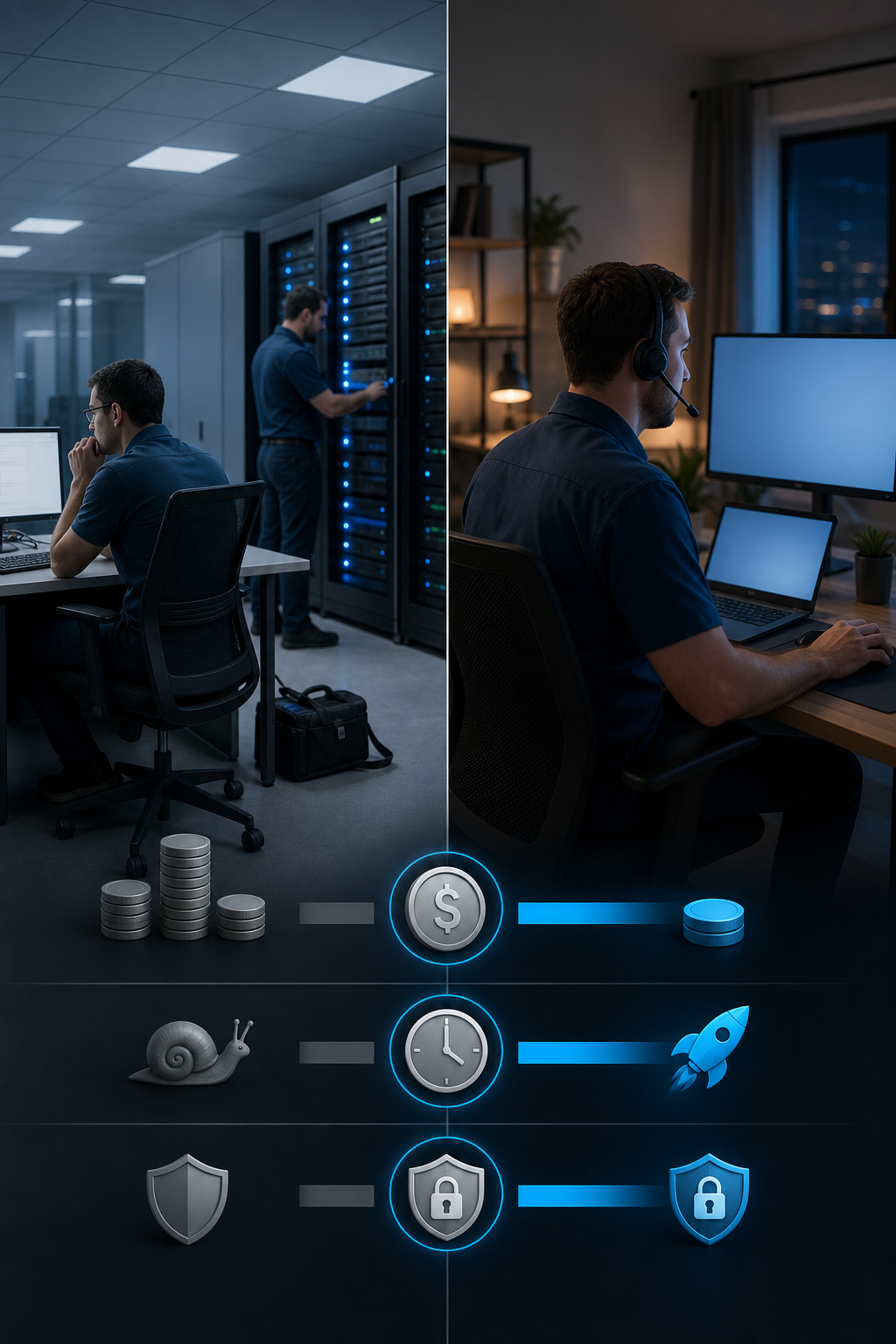
- What’s your budget? In-house costs $70k, $120k per person plus overhead. Remote support is $100, $250 per user per month. If you have fewer than 50 employees, remote is almost always cheaper.
- How much control do you need? If you want physical access to servers and hands-on hardware fixes, in-house or a local MSP with on-site visits is better. If you’re cloud-based, remote support works fine.
- What are your compliance requirements? Highly regulated industries (healthcare, finance) often need documented policies, employee training, and audit trails. Many remote providers lack compliance support. Only 33% of surveyed solutions offer any compliance help, so check before you sign.
For a deeper cost comparison, see how per‑user pricing differs from per‑instance models inthis guide to SaaS pricing models. And if you’re in healthcare, this comparison of medical billing companies shows how specialty providers can simplify operations.
Pro Tip: Start with a managed service provider like Advatek that offers a free IT audit. You’ll get a clear picture of your current security gaps and a roadmap to fix them.
Frequently Asked Questions
Is remote IT support cheaper than an in-house IT team?
Yes, for most small and mid-sized businesses. Remote support costs $100, $250 per user per month, while an in-house team costs $70k, $120k per employee plus 40, 60% overhead. For under 50 users, remote is usually more affordable.
Can remote IT support handle hardware issues?
Remote support can diagnose software and network problems but can’t physically repair hardware. Many providers partner with local techs for on-site visits. Co-managed or hybrid models include both remote and on-site options.
What is co-managed IT?
Co-managed IT is a partnership where you keep your in-house team and a remote provider handles overflow, after-hours support, or specialized projects. It’s a flexible way to scale IT without hiring more staff.
How do I know if my business needs HIPAA-compliant IT support?
If you handle protected health information (PHI) in any way , as a healthcare provider, a billing company, or a business associate , you must have HIPAA-compliant systems. A provider that offers compliance training and AI-driven security can help you stay audit-ready.
What should I look for in an IT support contract?
Check for clear SLAs on response time, 24/7 availability, breach notification timing, and scope of work. Also confirm whether compliance support, security updates, and employee training are included or extra.
Is it better to outsource IT or hire in-house?
It depends on your budget, need for control, and compliance requirements. Most SMBs benefit from outsourcing because it’s more cost-effective and gives them access to a broader skill set. Businesses with complex hardware or strict security may prefer in-house or a hybrid model.
Also read: Why South Florida businesses are turning to managed IT and cybersecurity services.
Conclusion
The right IT support model comes down to your budget, your need for control, and how much compliance matters to you. For most businesses, a remote managed service provider like Advatek offers the best balance of cost, expertise, and security , especially if you operate in a regulated industry. Start with a free consultation to see where your current setup stands.
Download Franchise Information Report
Want to learn more about opening your own franchise? Fill out this form to get started: