
How to Conduct an AI Risk Assessment
AI risk assessment doesn’t have to start with a thick policy binder. We can begin with a clear list of the systems you use, the people affected, and what could go wrong. For healthcare, finance, and law firms, the work also needs to fit daily operations and compliance duties. Here’s a five-step process your team can put into practice.
Step 1: Inventory AI Systems, Uses, and Owners
Start with a full inventory. An AI risk assessment can miss key issues if it covers only tools your IT team bought. Staff may also use AI features built into existing software or public services approved informally by a manager.
Ask each department to list AI systems it uses or plans to test. Include chatbots, tools that draft or summarize documents, scheduling systems, decision support, and features within other software. Record the vendor or internal owner, the business purpose, who uses the system, and whether it makes decisions or only suggests actions.
Then map the data. Note what information goes into the system, where it is stored, and where its output goes next. Flag patient details, financial records, legal documents, employee data, and other sensitive information. Check whether a vendor can retain prompts or use them to improve its services. Don’t assume a feature is safe for sensitive data because it appears inside software you already use.
For each use case, name a business owner who understands the work and a technical contact who can explain the setup. In a nursing home, for example, a scheduling aid may affect staff assignments without making a clinical decision. Record that distinction, since the people affected and the harm risks differ.
For healthcare teams, a HIPAA risk assessment checklist can help bring ePHI systems and data flows into the same review. Advatek can help midsize organizations inventory systems and connect AI oversight with managed IT services.
Milestone: You should have a list of AI use cases, their owners, the data each uses, and the people who may be affected.

Step 2: Identify Potential Harms and Classify Each Use Case
For every listed use case, ask who could be harmed, how the harm could happen, and how serious it would be. A repeatable review, rather than a one-time sign-off, can help keep the assessment consistent. Use the AI Risk Management Framework as a shared structure for the assessment.
Check at least four harm areas:
- Fairness: Could the system give people different results because its data or design works poorly for a group?
- Privacy: Could sensitive information be sent to the wrong service, retained longer than intended, or shown to the wrong user?
- Security: Could someone access data, alter inputs, or misuse outputs? For generative AI, test whether prompt injection could make a system follow harmful instructions hidden in user text or retrieved files.
- Operational and social impact: Could a wrong output delay care, mislead a client, deny a service, or push staff toward an unfair decision?
Consider the use, not only the model. An assistant that drafts internal meeting notes may have a different impact from a tool that helps staff assess a patient or screen a financial application. Even when a person reviews the output, ask whether time pressure could lead them to accept it without checking.
Set internal review tiers such as low, medium, and high. Define what each tier means for your organization. A system that handles sensitive records or affects access to care may need a deeper review than a tool used for general writing. These labels are your working method, not a claim that every law uses the same categories.
Keep the classification tied to facts. If you don’t know what data a vendor retains, mark that as an open question. Don’t label a use case low risk simply because the vendor describes it as safe.
Milestone: Each use case should have a risk tier, named harms, and any facts you still need to confirm.
Step 3: Score Risks and Build a Usable Risk Register
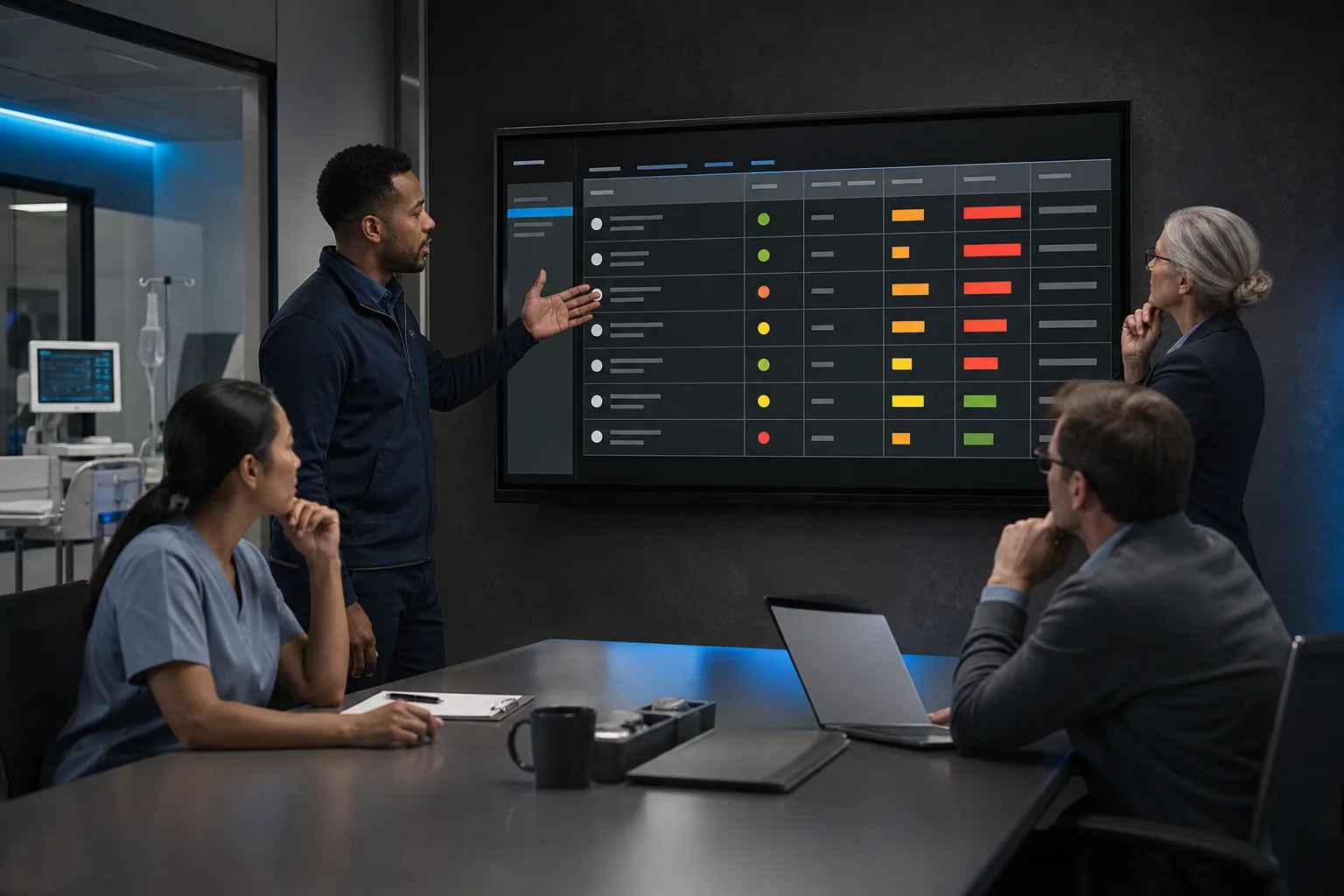
Scoring helps your team decide what to handle first. A useful AI risk register records each concern in plain language, then links it to an owner and a next action. Keep it in a shared, access-controlled location so the team can update it as systems change.
For each risk, estimate likelihood and impact using a simple scale, such as low, medium, or high. Add a short reason for each rating. For example, a hypothetical clinical note assistant might have a privacy risk if staff enter patient details into a service whose retention settings are unclear. The impact could be high because the information is sensitive. The likelihood remains uncertain until the team confirms the vendor’s data handling.
Use numbers only when you have evidence that supports them. A numeric score can make risks easier to sort, but it can also suggest more precision than the team has. A qualitative rating is often easier to explain. If you combine both, preserve the reasoning behind each score rather than relying on a single total.
A basic register can include:
- System and business purpose
- Risk event and people affected
- Likelihood and impact, with the reason for each
- Current safeguards and remaining gaps
- Risk owner, planned response, and due date
- Evidence needed to verify the fix
A qualified IT service provider can help your team identify relevant AI risk categories and assess your own systems, vendors, and workflows.
Milestone: You should have a ranked register that lets a manager see what needs action, who owns it, and what proof will show progress.
Step 4: Choose Risk Responses, Controls, and Clear Accountability
Choose a response for each high-priority risk. You can avoid a risk by not using a system for that task. You can mitigate it with safeguards, accept it with a documented reason, or transfer part of the financial impact through a contract or insurance. Transferring cost does not remove the duty to manage the risk.
Match controls to the way the system is used. If staff use an AI tool to draft client or patient content, require a qualified person to review it before it leaves the organization. Limit access to the data the tool needs. Keep records of approvals and system changes. For connected AI services, review the vendor’s security practices, data terms, incident process, and model information. Ask how the model was sourced and whether changes to it will be disclosed. This helps your team track model provenance and lineage.
For language models, include prompt injection in security testing. Check whether untrusted text in a document or message could steer the system away from its intended task. Set clear limits on what the system can access, and make sure people know how to report unexpected behavior.
Use a RACI chart to make ownership clear. It names who is responsible for the work, who approves it, who provides input, and who needs updates. A department lead might own the business use. IT may own access and monitoring. Compliance can review regulatory duties, while a clinical or legal expert checks decisions in their field.
Advatek provides managed IT services alongside AI-driven technology consulting, which can help a business connect risk decisions to security operations and day-to-day support. Our AI security consulting services describe how an IT partner can help assess AI-related threats and plan safeguards. A qualified provider can support implementation, but your organization still needs to approve the use and own its decisions.
Milestone: Every priority risk should have a chosen response, a person accountable for it, and a way to check the control.
Step 5: Check Compliance and Keep Assessments Current
Review the rules and contracts that apply to each use case before deployment. In healthcare, assess whether the system handles electronic protected health information and what HIPAA safeguards apply. Financial firms and law offices should also check sector rules, state requirements, client terms, and duties tied to the data they handle. The answer depends on the organization and the system, so involve your compliance lead or legal counsel.
Treat risk management guidance as a planning aid, not a substitute for legal advice or a compliance certification. You can also compare your governance process with an AI management-system standard. Don’t claim compliance from a checklist alone. Keep records that show how the system was reviewed, who approved its use, and how open issues were handled.
For each control, save evidence that an auditor or manager can follow. That may include access settings, staff guidance, vendor terms, test results, approval records, or a log of incidents. In a healthcare setting, connect the AI review to the organization’s wider security and privacy work rather than keeping it in a separate file no one maintains.
Set a review date and trigger a fresh assessment when the model, vendor, data, or business purpose changes. Revisit it after an incident or when monitoring shows unexpected outputs. A dashboard can track open risks, overdue actions, approvals, and incidents. It should help people act, not simply display green status marks.
Advatek can help healthcare organizations align AI oversight with cybersecurity and compliance work. Our HIPAA audit and risk assessment services can support teams reviewing how technology risks relate to ePHI. A managed service can add ongoing support, but it can’t replace internal review by the people who understand your care, finance, or legal work.
Milestone: Your assessment should have a named approver, stored evidence, a review date, and clear triggers for an earlier update.
Frequently Asked Questions
What is an AI risk assessment?
An AI risk assessment is a structured review of how an AI system could affect people, data, and business operations. It records the system’s purpose, the harms that could occur, the safeguards in place, and the actions still needed. Teams can use the findings to decide whether to proceed, add controls, change the use, or stop it.
What are the four functions of the NIST AI RMF?
Teams should revisit AI risk reviews as systems change, rather than treating them as a one-time checklist.
How do you score AI risks?
Score AI risks by estimating likelihood and impact, then record why you chose each rating. A low, medium, and high scale can work when evidence is limited. Numeric scores may help sort issues, but don’t let a precise-looking number hide uncertainty. Keep the people affected and the possible harm visible in the register.
How often should we update an AI risk assessment?
Update an AI risk assessment when a system’s purpose, model, vendor, data, or use changes. Review it after an incident or when monitoring finds unexpected results. Set a regular review date that fits your organization’s policies and risk level. For HIPAA questions, confirm your duties with your compliance lead or legal counsel.
Can an IT provider conduct an AI risk assessment?
An IT provider can help inventory systems, review security controls, and build a process for monitoring risks. Your organization still needs to explain the business purpose and approve how the system is used. For sensitive work, include compliance staff and subject-matter experts. Advatek combines managed IT services with AI consulting to support that shared effort.
Conclusion
Start with an inventory, then use the risk register to assign owners and track fixes. If your team lacks time or AI security skills, bring in a qualified IT provider to support the review. Advatek can help you connect AI assessment with cybersecurity and compliance work. Your next step is to ask each department for its AI use cases and name an owner for each.
Download Franchise Information Report
Want to learn more about opening your own franchise? Fill out this form to get started: